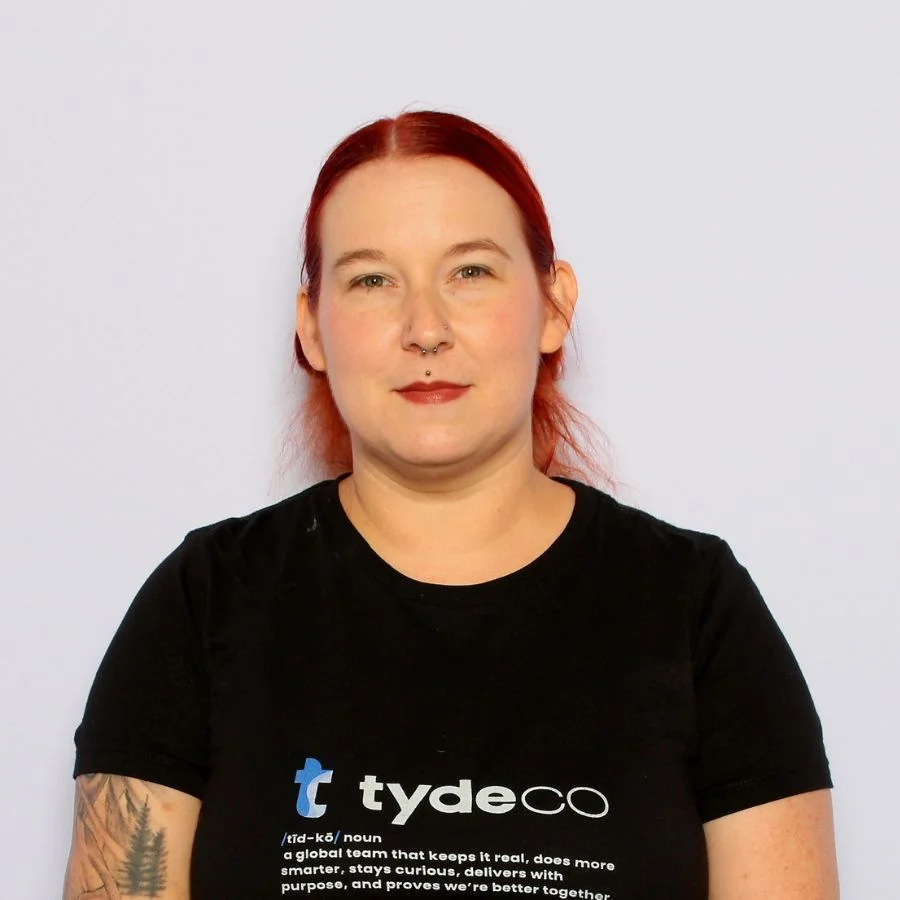
The Sage Future Conference brought together partners, end users, and Sage insiders for three packed days of product previews, training sessions, and practical conversations about what’s next. We sat down with Cassandra from TydeCo to hear what stood out, from hands-on AI demos to overlooked reporting features, and how she’s already putting it into practice.
What session ended up being most underrated or more valuable than you expected?
Cassandra:
I really think that any of the hands-on training that they did. I mean, I don’t know if they’re underrated, I don’t know the exact rating, but for me, I felt like they weren’t talked about nearly as much as some of the other insights.
But even after working in the software for a while, I still found something new in every hands-on training that I did. It really gave the opportunity to work in the software while being taught about it.
I would highly suggest those to everybody who attended.
But even after working in the software for a while, I still found something new in every hands-on training that I did.
What were your first impressions of Sage Copilot and the AI tools discussed at the event?
Cassandra:
I’ll be honest, I’m always a little hesitant still with AI. Obviously, it’s still a new product, and I’m always concerned about security and just accuracy with an AI program. I always joke, I feel a little old school in it because I haven’t fully embraced the AI movement, but I’m working on it.
I really liked how Sage approached it and the presentation that they gave us about Copilot. It kind of eased some of my typical fears when it comes around with AI, especially with regards to security and accuracy, just because they created their own AI. They’re not using some of the standard ones that everybody has seen go around. They built one that’s specifically for financial data and for working in the accounting field.
So I feel like it has better accuracy since it’s trained specifically on those types of topics and not trying to access all the internet information that’s there. It’s very specific to financial data. They have a very well-built security program that’s in there that’s above and beyond what some of the other systems are built for out there, because it’s not a publicly accessible to everybody kind of AI software. It’s very specific to Sage users, which just gives it a little bit more secure feeling it.
They built one that’s specifically for financial data and for working in the accounting field.
You mentioned the Sage High Performance Academy and partner office hours. How do you see these supporting our team’s growth?
Cassandra:
We’re working on making the most of these resources, just because there is some limitation to how many people can access at one time. But we have been looking into bringing those to our local files. You know, kind of downloading some of the resources and saving them internally.
As we were at Sage and meeting with various groups there, we realized there were resources we weren’t using to their fullest potential. Things like the partner office hours give you an opportunity to meet with members of the support team and discuss common errors and issues that happen across the board, not just for our company, but for others as well.
It’s a group setting that brings together people from different companies, and you get to see the challenges others are facing. Sometimes, those are things that have affected us too, but we hadn’t realized there was a good solution.
Between that and the Sage High Performance Academy, we’ll have access to additional training resources. I see it as a real opportunity to improve our training processes, make things more streamlined and straightforward, and eliminate many of the questions that come up when you’re first learning the software.
I really see it being something we can improve our training processes and make everything more streamlined and straightforward.
What training or resource surprised you the most or made you think ‘why didn’t I learn this sooner’?
Cassandra:
I think just as a whole, I didn’t realize how many aspects of Sage Intacct that maybe I wasn’t as familiar with, or we weren’t using to the fullest. Along the way of learning how to use Sage and getting really familiar with it, I’ve had some pain points come up about some of the reporting that just wasn’t working in a way that I understood. It was just that things weren’t going exactly as I would expect.
I have found from being at Sage that a lot of it was just that I didn’t understand how their features were and how they were set up. Through being at the Sage Future Conference, I was able to get a better understanding of all the different features within Sage. It just gives me a better ability to do my job and to use the software to its top level.
Just working with dimensions, working with all the different other objects that are within Sage Intacct that I just didn’t understand quite as well before.
Through being at the Sage Future Conference, I was able to get a better understanding of all the different features within Sage.
Let’s talk about the “Top Ten Things I Wish I Knew” session. Which “lesson” really resonated with you, and why?
Cassandra:
That was one of my favorite sessions at Sage Future because it focused on small but incredibly helpful tips. Even if you had been working in the software for quite a while, you might not have realized that you weren’t using it to its full potential or making the most of its features.
One of the things I hadn’t really thought about was all the different ways we could use dimensions and apply filters, and how that can improve reporting by introducing more advanced filtering options within the software. We just haven’t used that to its full extent. I’m sure we have some clients where it’s partially implemented, but I haven’t seen it used consistently across our company.
It was a real light bulb moment for me during that session. As they walked through the different settings, I kept thinking of ways I could apply those ideas with our current client load to make everything significantly more effective.
“I can think of so many ways that I can use that with our current client load and make everything a hundred times better.”
Was there a reporting trick or dashboard insight you’re already thinking about bringing back to your team?
Cassandra:
Yes, definitely. One of the things they also mentioned, which is connected to dimension filtering, was the concept of dimension relationships. It’s a setting related to some AI processing, where you can define specific relationships within Sage Intacct that allow the system to auto-allocate data for you.
It groups dimensions together so that when you assign one part, the system automatically links it to related areas. This isn’t something we’ve used extensively, but I’ve already started implementing it with our current client load. Having that set up makes it easier to manage changes. When you update one element, it automatically applies changes across multiple areas. You don’t have to adjust each detail individually. Changing a single dimension updates the related relationships and client details throughout the system.
The moment I saw it, I was like, I know this is useful. I’ve already started implementing that in our clients.
What were your impressions of the updates to Bill.com and MineralTree? Any “aha” moments for multi-entity management?
Cassandra:
I love that there were so many companies with integrations at Sage Future. That was one thing I really appreciated: the level of excellence they demonstrated. They had so many of their partner companies available to talk to or attend training sessions with. It gave us a full view of the functionality not only within Intacct itself, but also through its partnerships with other companies.
Like I said, Bill.com and MineralTree stood out in how they complement each other. MineralTree is a new software for us. It’s not something I personally use, though there may be others in the company who do. It was great to be introduced to it, especially as it becomes directly integrated into Intacct. We expect to see a lot more of MineralTree in the future since it’s becoming the recommended product. Because it’s already built into Intacct, it’s clearly going to offer the best connectivity and smoothest data integration.
It was exciting to have the opportunity to see how the software works before full integration even happens. As we move forward and begin working with it, having that early insight is a big help.
Bill.com, of course, we’ve been working with for years. It was great to see some of the enhancements they’re adding. The biggest aha moment for me was their introduction of multi-entity management. We have clients with multiple branches, essentially separate companies, all under one parent organization. They want to manage each entity separately for tax or financial reporting reasons.
This will be a great improvement with Bill.com, allowing us to separate those entities but still manage them under a single company. Currently, some clients have multiple instances inside Bill.com for each part of their business. With the new features, we’ll be able to consolidate that into one subscription. That will save money, reduce complexity, and improve efficiency. We won’t have to manually connect different systems because everything will be built in. We’re looking forward to that improvement.
The big aha moment for me was their introduction of a multi-entity management that they’re bringing out.
How do you see these integrations improving our client experience, especially those who have outgrown manual AP processes?
Cassandra:
Yeah, I mean, I think there’s a certain level with any company where, once it grows enough, it really does need to look into some sort of AP management software like Bill.com, MineralTree, or Ramp. These are all great options. Now that updates are being rolled out, it’s even more beneficial to make the switch.
Having AP management software adds an extra layer of security to approval processes, and it makes it easier for someone like us to step in and assist with AP in a safer way. Obviously, we want to provide services without putting anyone at risk. Using platforms like Bill.com, Ramp, or any of the others gives us that added security so we can help without introducing risk.
I think the more these systems become integrated with Sage, the better. When everything connects smoothly and syncing is seamless, it’s a win for everyone. You’re saving time, becoming more efficient, and reducing costs. It’s really a benefit for everyone involved.
Everything’s becoming more efficient and more cost-effective. It’s just great for everybody involved.
You mentioned the Sage High Performance Academy and partner office hours—how do you see these supporting our team’s growth?
Cassandra:
We’re working on making the most of these resources, just because there is some limitation to how many people can access them at one time. We’ve also been looking into downloading some of the resources and putting them into our local files so our team can access them more easily.
As we were at Sage and meeting with various groups there, we realized there were resources we hadn’t been using to their full potential. Things like the partner office hours provide an opportunity to meet with members of the support team and discuss common errors and issues that happen across the board, not just for our company but for others as well.
It’s a group setting that involves multiple people from different companies, and you get to see what challenges others are facing. Sometimes there are issues that have affected us too, but we hadn’t realized a good solution already existed.
Between that and the Sage High Performance Academy, we now have access to different training resources. I really see this as something we can use to improve our training processes, make everything more streamlined and straightforward, and eliminate a lot of the questions that come up when someone is first learning the software.
We saw some resources that we weren’t using to the best ability.
What’s your take on the accessibility of resources like Highspot or Teams-based training? Are there any gaps we should work around?
Cassandra:
Some of the issues we have are just with access to some of the resources that Sage offers, mainly because only certain levels of users can access specific training options. So it’s something we’re working on in order to gain access to those materials.
One of the biggest gaps we’re trying to address is through our Teams platform. We already use it for a lot of training processes we’ve developed internally. Now, we’re working on pulling in data from Highspot, Sage High Performance, and recordings from the partner office hours, and saving all of that to our Teams platform so our entire staff can access those recordings and trainings and make use of them as effectively as possible.
Seeing some of the external training has also helped us update the materials we already have in place. We’ve created a variety of SOPs that cover different areas of Sage Intacct, and now we can ensure our documentation is as accurate as possible. It also gives us a chance to evaluate whether there’s a better way to train on specific topics.
We’re pulling recordings and resources into our Teams platform so all staff can access them.
You mentioned reaching out to speakers directly. What were you hoping to get from those slides and presentations?
Cassandra:
There was just a short period of time that we were at the conference. I mean, it’s a couple of days over a week, but there were so many things happening across different events that it was a lot of information packed into a very short timeframe. We were attending class after class and presentation after presentation. No matter how many great notes you take, it’s really hard to retain everything while you’re there.
Being able to reach out and get some of the presentations afterward was really helpful. It allowed us to organize our notes and gather additional resources we could share internally with people who didn’t have the opportunity to attend the conference. I’m really grateful that many of the speakers followed up with us. We were able to get those presentations, and they were happy to share their tips and tricks.
We already mentioned one of the presentations earlier. I was able to get the slideshow, and now I can review it and share it with the rest of our staff so we can make full use of all the insights that were provided at the conference.
Being able to get some of the presentations after the fact was really helpful.
Were there any unexpected takeaways from more casual conversations or sessions you weren’t planning to attend?
Cassandra:
I think it was really interesting when we were conversing with other attendees. We got to learn how many people were using the software in ways that were similar to us. And then, on the other side, we saw how many people were different from our company and used it in completely different ways. There was a wide variety of people at the conference.
The conference had participants from all different levels of involvement with Sage. We met people who work directly at Sage headquarters. We connected with partners like TydeCo, who provide integration assistance and accounting support for clients using Intacct. And we also met end users who use Sage products directly without a partner involved.
It was really interesting to hear different perspectives on the software and see the various ways people interact with Sage. It was nice to talk to attendees, learn about their experiences, and in some cases, discover new ideas for how to implement the software that we hadn’t considered before.
It was nice to talk to different attendees and get their experiences and ideas.
What training or resource surprised you the most or made you think “why didn’t I learn this sooner”?
Cassandra:
I think overall, I didn’t realize how many aspects of Sage Intacct I wasn’t fully using or understanding. As I was learning how to use Sage and getting more familiar with it, I encountered some pain points, especially with reporting not working the way I expected. Things just weren’t going the way I thought they should.
At Sage Future, I discovered that many of those issues were due to my own gaps in understanding how the features were designed and how they function. After attending, I walked away with a much better grasp of the tools and options available. It’s given me more confidence to do my job and use the software more effectively.
Working with dimensions in particular was eye-opening. There were features I hadn’t explored or fully understood before, and now I see how much more I can do with them.
Through being at Sage Future Conference, I was able to get a better understanding of all the different features within Sage.
Let’s talk about the “Top Ten Things I Wish I Knew” session. Which “lesson” really resonated with you, and why?
Cassandra:
That was one of my favorite sessions at Sage Future. It was packed with small but incredibly helpful tips. Even if you’ve been using the software for a while, there were things you might not realize you’re underutilizing.
The biggest one for me was learning all the ways you can filter using dimensions and improve reporting by setting those filters up properly. I know some of our clients already have a bit of that in place, but I haven’t seen it used consistently across our company.
As they walked through each setting, I had several moments where I thought, “That’s something we could use right now.” It clicked immediately. I could see how that change would improve our workflows.
It was kind of a light bulb moment for me… I can think of so many ways I can use that with our current client load.
Was there a reporting trick or dashboard insight you’re already thinking about bringing back to your team?
Cassandra:
Yes, definitely. It ties into the dimension filtering I mentioned, but the big one was around dimension relationships. It’s a setting that connects to some of the AI logic in Sage, and it lets you pre-set how dimensions interact so you don’t have to update everything manually.
Once it’s set up, the system can auto-allocate based on that relationship. So instead of making a dozen changes across records, you just change one, and it cascades.
I’ve already started implementing that for some of our clients. The time-saving is immediate.
Just changing this one dimension is going to change the relationship across the board.
What were your impressions of the updates to Bill.com and MineralTree? Any “aha” moments for multi-entity management?
Cassandra:
One thing I really appreciated at Sage Future was how many integration partners were on site. Seeing that full ecosystem in action made a difference. It showed how much more functionality you can access beyond what’s built into Intacct.
Bill.com and MineralTree stood out, especially with the updates around multi-entity management. MineralTree is newer for me. I hadn’t worked with it directly before, but seeing how it’s becoming embedded in Intacct gives me confidence that we’ll be seeing a lot more of it.
We’ve used Bill.com for years, but the new multi-entity features they’re adding will be a big help. Many of our clients have multiple branches or business units. In the past, they needed separate instances. Now we’ll be able to consolidate everything under one subscription. That will save money and simplify the entire process.
The big aha moment for me was their introduction of a multi-entity management that they’re bringing out.
How do you see these integrations improving our client experience, especially those who have outgrown manual AP processes?
Cassandra:
I think every company eventually hits a point where they need to step away from fully manual AP. Tools like Bill.com, MineralTree, or even Ramp are becoming more important, especially now that those integrations are stronger and syncing more smoothly with Sage.
When you bring in an AP system, you get more secure approval workflows, which also lets us support clients without having to access sensitive data directly. It adds that layer of safety while still allowing us to do our job.
Now that everything connects better, with less manual entry and greater efficiency, it’s simply a better experience for everyone involved.
It’s better for everyone… you’re wasting less time and everything’s becoming more efficient and cost-effective.
You mentioned reaching out to speakers directly. What were you hoping to get from those slides and presentations?
Cassandra:
There was so much packed into such a short time. Even though the conference stretched across several days, there were classes and presentations happening nonstop. No matter how many notes you take, you just can’t retain everything in the moment.
I followed up afterward to get some of the slides and tips so I could review everything more calmly. It also allowed me to share the material with team members who couldn’t attend. A lot of the presenters were happy to help and sent through some really valuable resources.
That follow-up turned what felt like a hectic schedule into something we could actually use as part of our training toolkit.
Being able to reach out and get some of these presentations… was really helpful with just organizing our notes.
Were there any unexpected takeaways from casual conversations or sessions you weren’t planning to attend?
Cassandra:
Yes, actually, just talking to other attendees was a learning experience. There were people using Sage Intacct in very similar ways to us, and others who used it completely differently.
Some attendees were end users, some were partners like TydeCo, and others worked at Sage directly. That mix gave us a wide perspective. You’d hear about a process someone had implemented that you hadn’t considered. Sometimes they were solving the same problem with a different tool or simply using a more effective workflow.
Those conversations reminded me that there isn’t just one right way to use the software.
It was just really interesting to get different takes on the software and see the different levels of interaction with Sage.
What ideas do you have for marketing for future clients who have attended Future?
Cassandra:
For us, marketing overlaps with education. Being able to talk about real experiences like this, what we saw, what we learned, is powerful. It’s not just about selling a service. It’s about showing the kind of support and insight we can offer.
I’ve done trainings before, such as during COVID, when I helped run sessions on PPP funding. People appreciated learning something useful while also getting to know how we work. I’d love to do more of that. Webinars or short workshops where we’re teaching and also helping people understand how we think.
It gives people an idea of the kind of information that we can provide and the kind of support we can provide.
Conferences Are Marketing Too
Do you think conferences like Sage Future are valuable for marketing visibility as much as for training and product announcements?
Cassandra:
Definitely. There were so many different types of people there, including end users, Sage team members, and partners like us. When you’re meeting and talking with that many people, you’re naturally building relationships and leaving an impression.
Some of those end users might one day decide they’re done doing it all themselves. If they remember a conversation with someone from TydeCo, that could open the door later.
And it wasn’t just the attendees. Matt was on site doing podcast interviews. Other team members were in different sessions. Just having that presence made a difference.
It’s a really good marketing opportunity of just putting ourselves out there and making our name known.
Putting Future Insights to Work
What would you love to see TydeCo do differently or more of because of what you learned at Sage Future?
Cassandra:
Nothing totally different comes to mind, but I’d love for us to keep going to conferences like this. Having that window into what’s coming, what Sage is building, and what updates are ahead helps us stay proactive instead of reactive.
Even if we’re not rolling everything out right away, it gives us time to think about how those features or changes might impact our clients and our internal workflows. That kind of planning matters.
It’s really good for our own growth and just lets us help shape our future plans.
If you could make one change tomorrow based on what you learned, what would it be?
Cassandra:
If I could snap my fingers and have all our reporting updated based on what I learned at Sage Future, that would be it. The reality is, updating those things takes time. But it would be a massive improvement.
Beyond that, I’m also working on getting more comfortable with AI. I’ve been cautious, especially because of security and accuracy concerns. But seeing how Sage is handling it and hearing how others are using it pushed me to start learning more. I know that’s where the field is heading.
The conference has really given me the insight that I really need to read up on and get more familiar because I think it’s the future of accounting.
Funniest or most unexpected moment?
Cassandra:
Honestly? Probably the Metallica concert. Me and two other TydeCo team members ended up going because it was right next door. What cracked me up was how many Sage Future attendees were there, too. I think half the crowd came straight from the conference.
You could tell who we were by the business wear at a Metallica show. But it was a fun surprise and a great way to end a packed day.
Would you go back next year?
Cassandra:
Definitely. If the option were presented, I would one hundred percent go. I think every year that Sage does this, it’s just going to get better.
They’ve done conferences before, but this was the first time it was hosted in Atlanta, which is kind of wild considering it’s their home base. Now that they’re planning to keep it there, I’m looking forward to seeing how it improves as they get more familiar with the venue.
For me, being local to Atlanta, it was also a great opportunity to be part of something big without needing to travel. That made it even more special.
If the option was presented, I would one hundred percent go.
Most underrated session?
Cassandra:
I really think any of the hands-on training sessions stood out. I don’t know if they were technically underrated, but they didn’t get as much attention as some of the keynote-style sessions.
Even after working in the software for a while, I still found something new in every hands-on session. Having the ability to try things while learning about them made the content stick.
That format of being able to test and apply what you’re learning in real time was extremely valuable. I’d recommend those sessions to anyone, regardless of experience level.
Even after working in the software for a while, I still found something new in every hands-on training.