



QuickBooks Online delivers measurable results. These key statistics show precisely how the software boosts efficiency, saves time, and improves overall business performance.

Used by over 7 million businesses globally, QuickBooks Online is by far the most trusted cloud accounting solution for small and growing companies.
Automating invoicing with QuickBooks Online saves users around 9 working hours weekly, freeing up valuable time for teams to refocus on business growth.
Thanks to features like online payments and automated invoice reminders, QuickBooks Online users get paid five days faster on average.
From invoicing to real-time reporting, TydeCo™ utilizes these powerful QuickBooks features to simplify your everyday accounting processes and help your business run more smoothly and efficiently.
QuickBooks Online is a cloud-based platform that gives you real-time access to your finances from any device – no installations or manual updates needed.
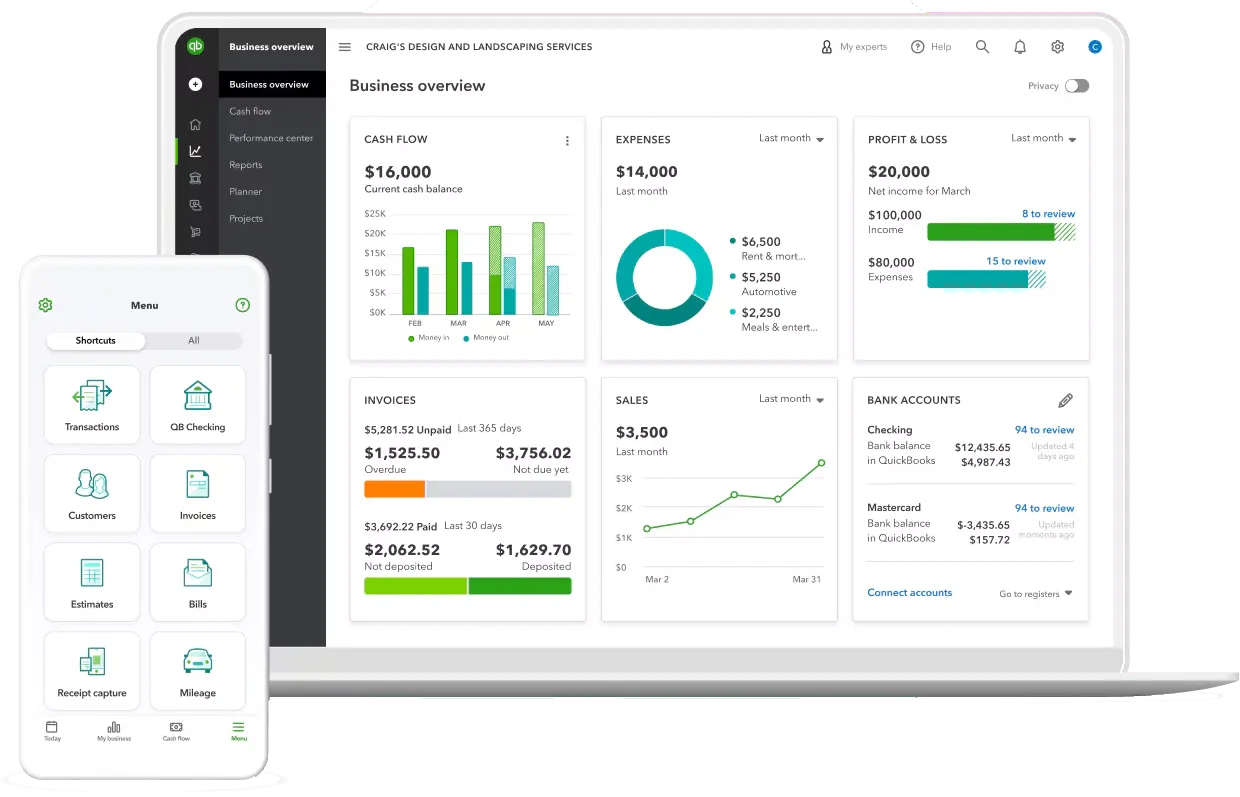
Add your team or accountant with custom permissions and collaborate live within your books, with full transparency via built-in change tracking.

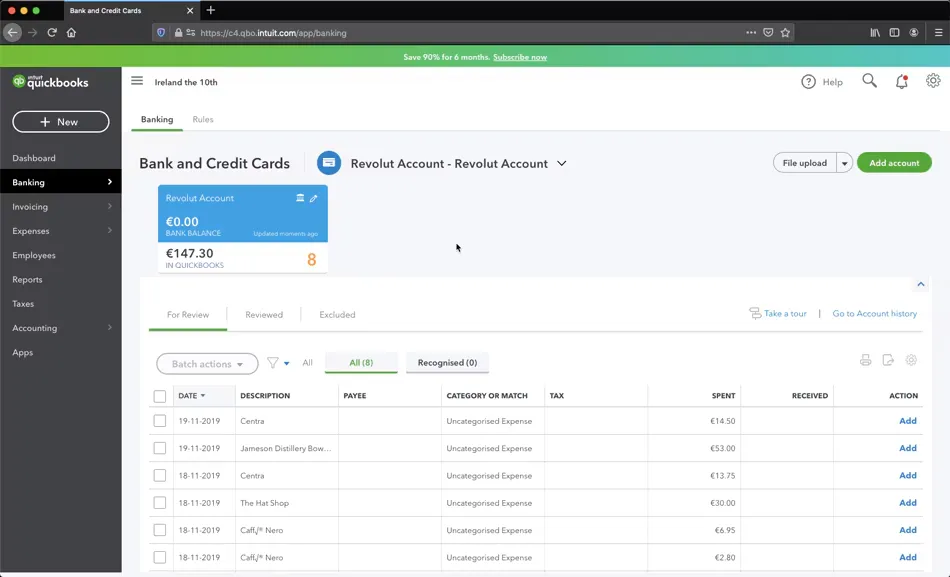
Connect bank accounts to import transactions automatically, using smart categorization and bank rules to simplify reconciliations and reduce the manual work.
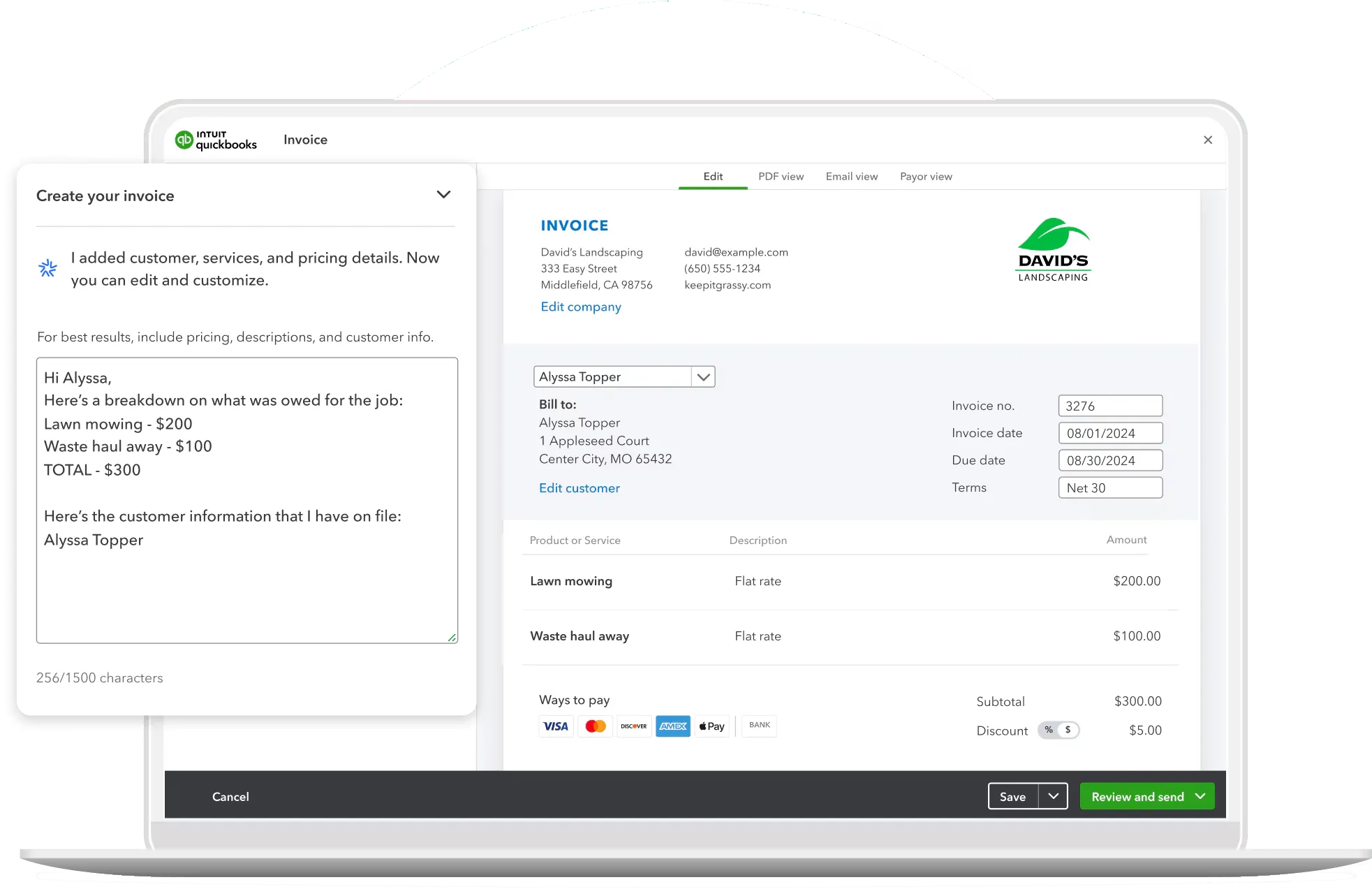
Create custom-branded invoices and accept payments online by setting recurring invoices or reminders to speed up billing and improve your cash flow.
Snap receipts via mobile, auto-import transactions, and easily categorize expenses. Also, effectively track due dates and simplify tax deductions with custom rules.
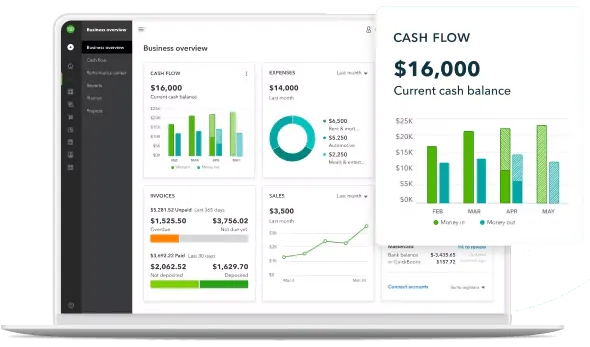
Generate real-time reports like Profit & Loss, Balance Sheet, or Cash Flow, and customize by project, customer, or location to make better finance decisions.

QuickBooks calculates your sales tax based on location and keeps your records audit-ready, while allowing you to export summaries directly to your accountant and stay on top of deadlines.

As your business grows, QuickBooks Online can easily be extended and adapted to meet more advanced operational and financial requirements.
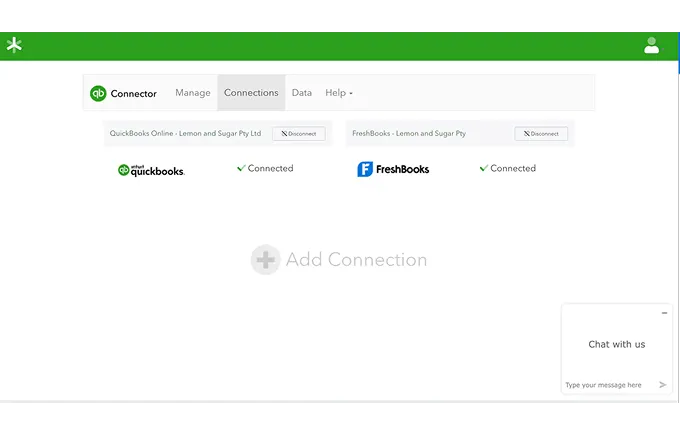
Connect QuickBooks to your CRMs, e-commerce, or POS systems and sync data across platforms to eliminate any manual entry inefficiencies and data silos.
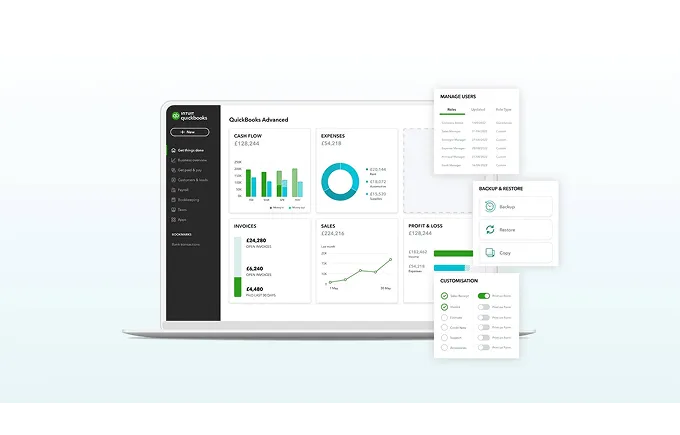
Link your payroll and time tracking tools directly to QuickBooks for seamless employee pay runs, accurate labor costs, and up-to-date financial records.

From startups to mid-sized firms, TydeCo helps you scale your business within QuickBooks Online or transition to new platforms as your needs evolve.
QuickBooks gave this dentist the confidence to run her practice, manage growth, and stay financially connected, anytime, anywhere.
QuickBooks was amazing. It was easy to use. It was seamless. QuickBooks allows me to be able to see my practice … from anywhere. … QuickBooks integrates with our systems to be able to give me a daily snapshot of the health of our practice so I can focus on the health of our patients.


QuickBooks is a well-known option for small and mid-sized businesses looking for reliability, simplicity, and solid accounting fundamentals.
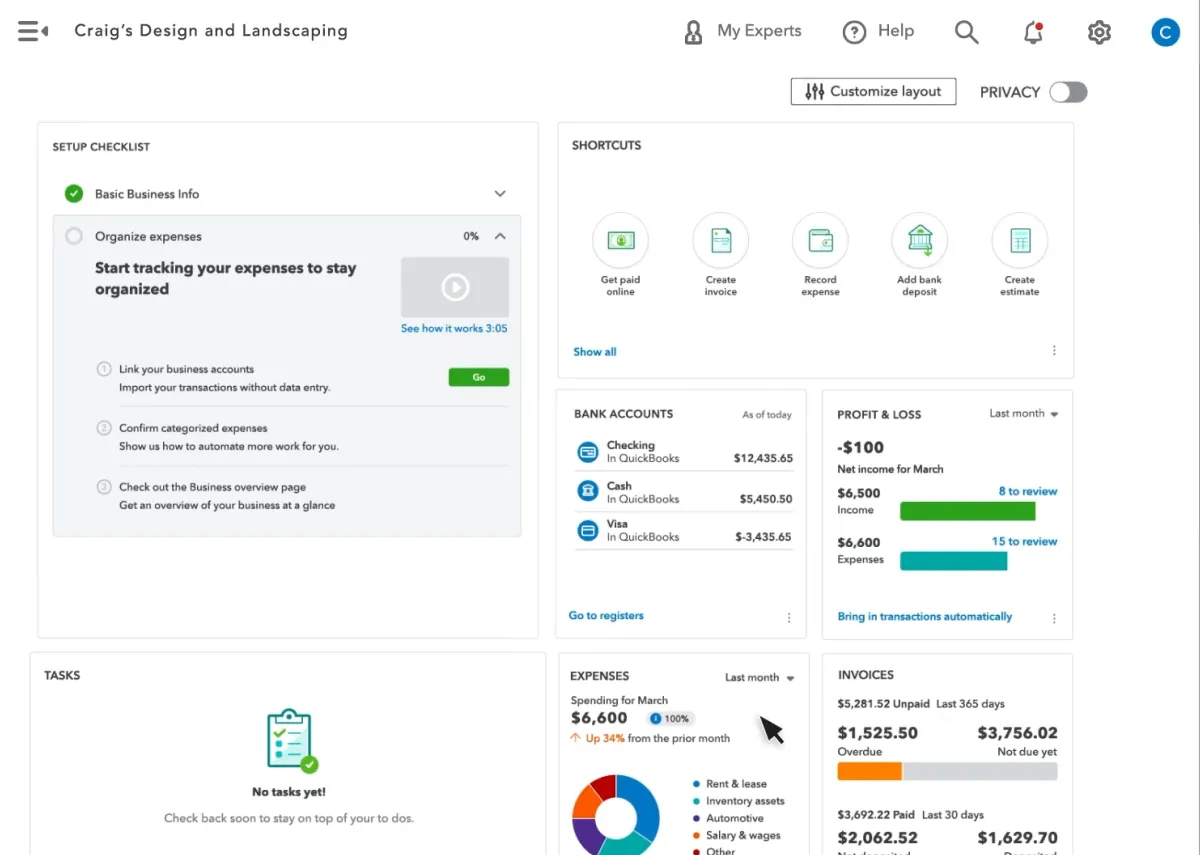
Get a quick tour of QuickBooks Online—dashboards, bank feeds, invoicing, reports, payroll, and more.
We’re proud to support the teams behind these logos. Long-term partnerships built on trust, capability, and results that hold up.







QuickBooks suits small, service-based businesses, especially where finance roles are evolving and systems need to keep up. TydeCo™ helps extend the setup.
We want the world to see how virtually anything is possible with the right tools, solutions, support, and, of course, expertise.
Explore our latest thinking on financial systems, reporting strategy, and digital transformation—tailored to the industries and tools we support.

Just getting started or fine-tuning your setup?
Here are a few questions that often come up along the way.
QuickBooks Online is the perfect accounting system for service-based businesses, small retailers, e-commerce stores, nonprofits, as well as single business owners and businesses on an upward trajectory. It supports a range of functions, including recurring invoicing, payroll, and ongoing expensive management. We ensure you optimize the system’s features, from project tracking to financial performance management.
Yes, QuickBooks Online supports basic multi-currency functions for accurate billing and reporting and manages the transition process when you migrate from legacy systems to modern, robust platforms, like Sage Intacct. Note that multi-entity consolidation is limited, but we have special workarounds to ensure continuity and accuracy across systems.
Our approach identifies and corrects errors by implementing smart automation tools, including alerts and AI suggestions. A well-structured setup helps maintain compliance with tax and ensure best practices when it comes to maintaining financial standards. We review monthly reconciliations to ensure data is always accurate. organized, and audit-ready.
If moving off QuickBooks Online is good for your business, then we’ll ensure you have the info you need to make an informed decision. For instance, we might recommend you upgrade to Sage Intacct to benefit from its advanced financial management features. We assist with the migration process, including exporting data and team training.
QuickBooks Online is used by about seven million businesses worldwide. The sheer volume of satisfied customers is enough to minimize resistance and enhance uptake, providing users with access to a vast advisor network.
One of the biggest benefits is the whopping nine working hours saved each week, thanks to automated invoicing and bank feeds that eliminate repetitive entry and reconciliations. There’s also a shorter wait for payment, as online pay links and automated reminders shave five days from the typical invoice-to-cash period.
QuickBooks Online eliminates manual report preparation. Instead, leaders have access to dashboards that provide current financial information without the need to export spreadsheets. This enables leaders to focus better on close and the insights gained.
The cloud-based software facilitates collaboration through multi-user access and change tracking, which records who did what, and when. This helps meet transparency requirements in the finance sector.
Cloud-based data is accessible to anyone on any device, provided they have the proper authority or permissions. There are no updates or upgrades to install and operations aren’t slowed down by data-heavy or overburdened processes.
Multi-user access enables your accountant and team to collaborate within the system, while leaving a clear audit trail of all actions and transactions.
Automation reduces the need for manual entry. In this context, automated bank feeds with categorization and rules are the real heroes as they increase the accuracy and speed of reconciliations.
Automation also enables professional invoicing with online payments and reminders. A tactful way to accelerate cash collection without instilling the dread of debt collectors.
A very handy feature is smart expense tracking. It includes mobile receipt capture and rules, which ensures and maintains the completeness of essential documentation.
Data and updates are added in real-time so profit and loss figures for margin, spend, and trend checks can be used as accurate guides for informed decision making during the week. The balance sheet features are designed to catch misspots and timing issues before they are embedded in the system and consistently make a mess of month-end.
Data can be filtered by project, customer, and location, providing managers with a clear view of various financial services, particularly pertinent data for informed decisions. All without manually exporting spreadsheets.
It’s also possible to use dashboards to drill down into source transactions. This answers contextual key questions quickly and accurately.
Cash flow monitors timing and runway, which is handy when planning large payments (once off or ongoing) or collections pushes,reminding multiple customers of outstanding payments.
Tax readiness is arguably one of QuickBooks Online’s most important features, simply because no one wants to find themselves in the taxman’s bad books. Tax readiness is achieved (and maintained) by:
Another convenient (accurate) feature is the development of clear reporting cycles that align to deadlines. This transparency ensures that your books don’t suddenly spring a few late surprises that make your life temporarily very interesting.
This is a “depends” answer. It depends on the business type, its size, current goals (expansion into new regions), and strengths and weaknesses, etc. Typically, the extensions with the most value include:
Without the right extensions for your business, and with tools that still use manual data entry and calculations, month-end can be a hurried and confusing time. Extensions that perfectly suit your stage of growth enhance reporting and close, improving month-end quality, and increasing efficiency.
QuickBooks Online is a pared-down version of the full QuickBooks suite of services. This makes it ideal for small- and mid-sized teams that need simple, reliable accounting solutions, including setup and strong fundamentals or foundations to support growth.
It’s also a good fit for service-based businesses that need invoicing automation, expense tracking, and clear reporting to support daily operations.
Even though nonprofits can have relatively complex accounting needs, they’re still well served by QuickBooks Online when it comes to fund tracking and donor reporting. Provided it’s configured with the right structure, of course.
It fits any size business that operates internationally and has to have multi-currency and compliance management built-in, as well as forward-thinking teams that want to ensure they have the options to extend through integrations and planned tiers.
We provide comprehensive services, from system design to ongoing training post-implementation. For instance, we provide system design and strategic implementation that sets up accounts, rules, templates, and reports. The objective is to match QuickBooks features to your business’s operations.
Integration and automation are a big part of a successful finance system. It’s important to connect your systems to reduce duplicate entries and ensure the smooth flow of data between departments.
It’s a good idea to outsource financial services when you have neither the capacity nor specialist staff. We can manage your bookkeeping services, focusing on accuracy, speed, and dependable month-end close.
Controller services are also suited to outsourcing, including reconciliations, policy enforcements, regulatory compliance, and improved processes.
Not all businesses are big enough to afford a full-time CFO. However, CFO’s services play an important role in strategic expansion and innovative, informed decision making. You may want to consider forecasting, KPI guidance, and leadership reporting.