



QuickBooks Online delivers measurable results. These key statistics show precisely how the software boosts efficiency, saves time, and improves overall business performance.

Used by over 7 million businesses globally, QuickBooks Online is by far the most trusted cloud accounting solution for small and growing companies.
Automating invoicing with QuickBooks Online saves users around 9 working hours weekly, freeing up valuable time for teams to refocus on business growth.
Thanks to features like online payments and automated invoice reminders, QuickBooks Online users get paid five days faster on average.
From invoicing to real-time reporting, TydeCo™ utilizes these powerful QuickBooks features to simplify your everyday accounting processes and help your business run more smoothly and efficiently.
QuickBooks Online is a cloud-based platform that gives you real-time access to your finances from any device – no installations or manual updates needed.
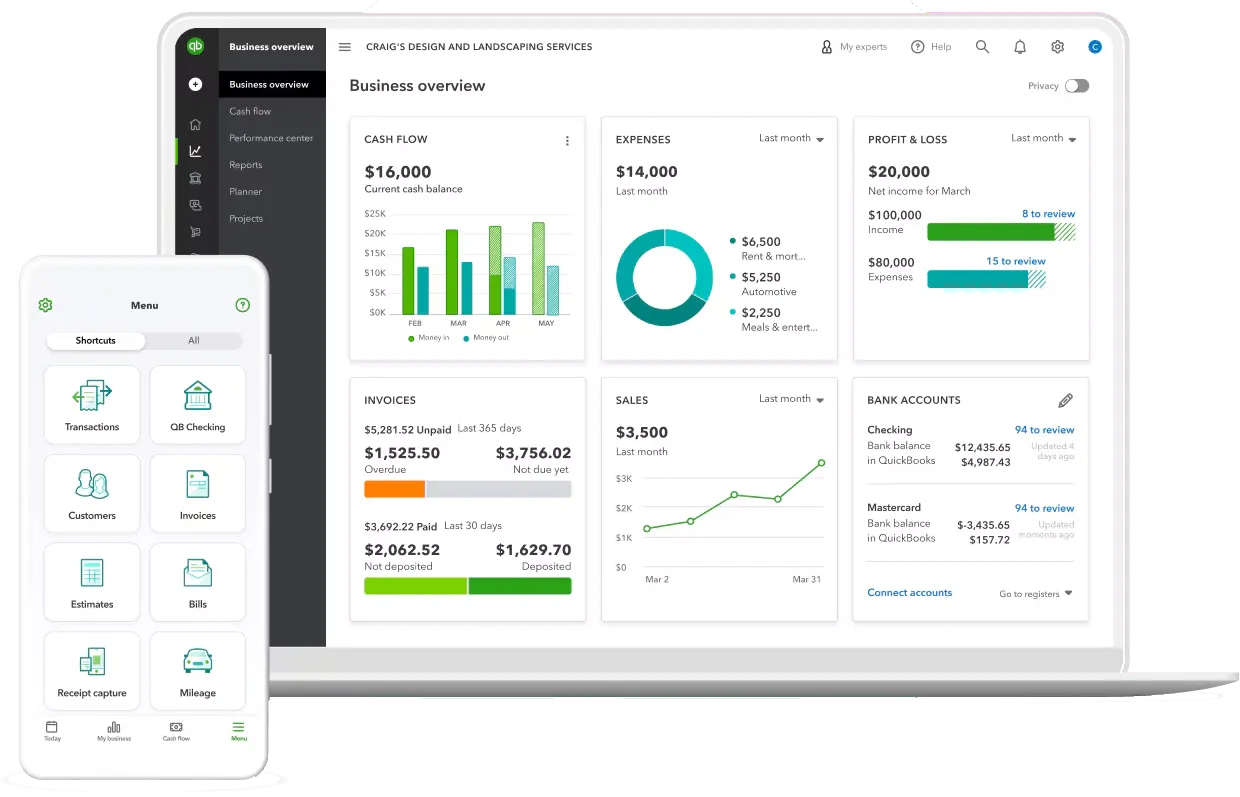
Add your team or accountant with custom permissions and collaborate live within your books, with full transparency via built-in change tracking.

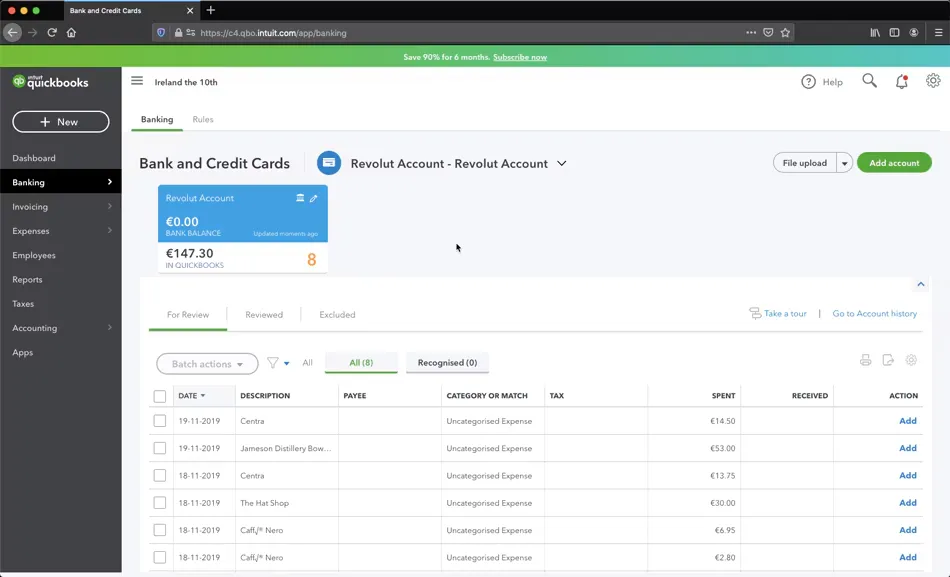
Connect bank accounts to import transactions automatically, using smart categorization and bank rules to simplify reconciliations and reduce the manual work.
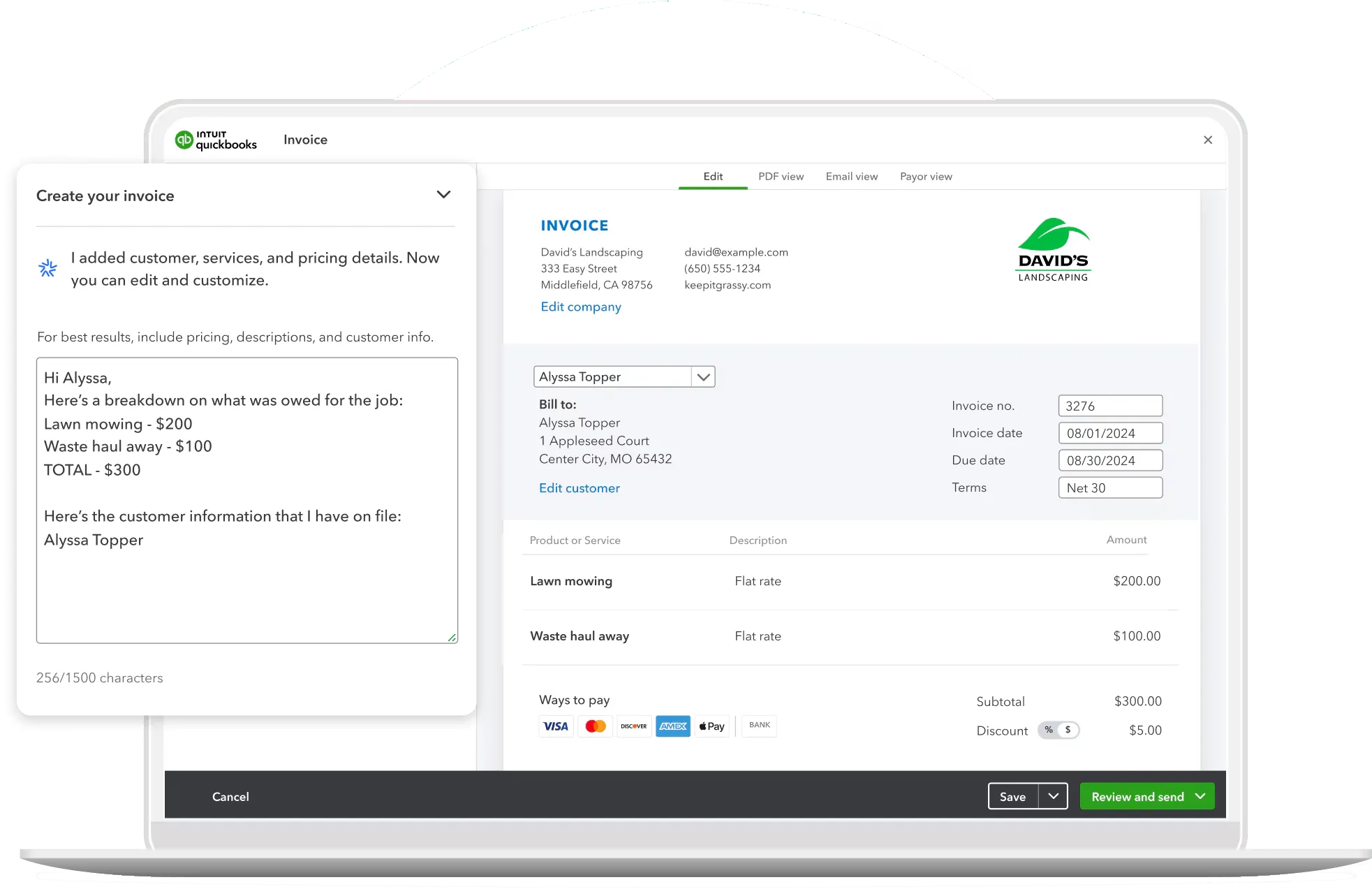
Create custom-branded invoices and accept payments online by setting recurring invoices or reminders to speed up billing and improve your cash flow.
Snap receipts via mobile, auto-import transactions, and easily categorize expenses. Also, effectively track due dates and simplify tax deductions with custom rules.
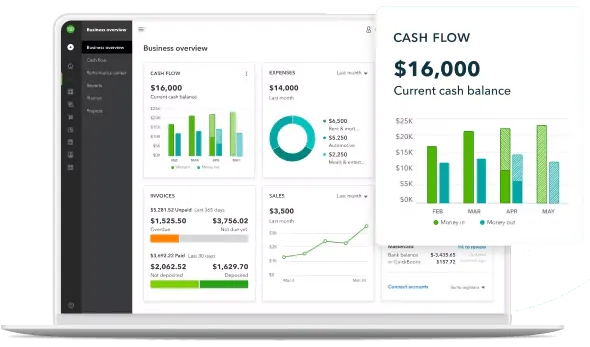
Generate real-time reports like Profit & Loss, Balance Sheet, or Cash Flow, and customize by project, customer, or location to make better finance decisions.

QuickBooks calculates your sales tax based on location and keeps your records audit-ready, while allowing you to export summaries directly to your accountant and stay on top of deadlines.

As your business grows, QuickBooks Online can easily be extended and adapted to meet more advanced operational and financial requirements.
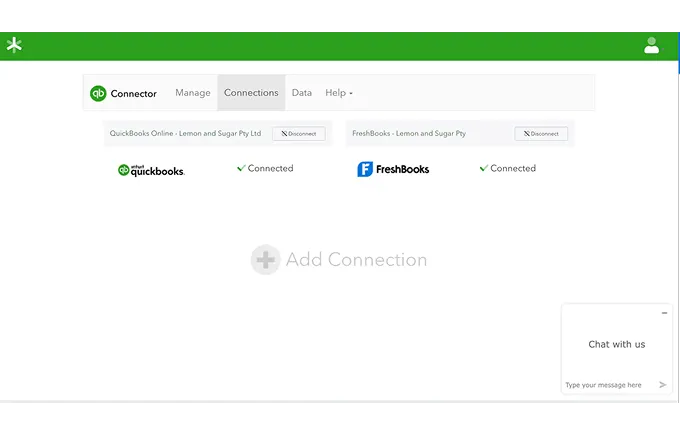
Connect QuickBooks to your CRMs, e-commerce, or POS systems and sync data across platforms to eliminate any manual entry inefficiencies and data silos.
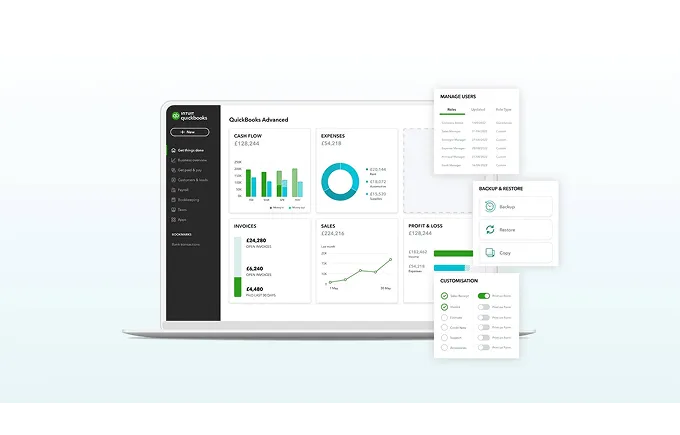
Link your payroll and time tracking tools directly to QuickBooks for seamless employee pay runs, accurate labor costs, and up-to-date financial records.

From startups to mid-sized firms, TydeCo helps you scale your business within QuickBooks Online or transition to new platforms as your needs evolve.
QuickBooks gave this dentist the confidence to run her practice, manage growth, and stay financially connected, anytime, anywhere.
QuickBooks was amazing. It was easy to use. It was seamless. QuickBooks allows me to be able to see my practice … from anywhere. … QuickBooks integrates with our systems to be able to give me a daily snapshot of the health of our practice so I can focus on the health of our patients.


QuickBooks is a well-known option for small and mid-sized businesses looking for reliability, simplicity, and solid accounting fundamentals.
Get a quick tour of QuickBooks Online—dashboards, bank feeds, invoicing, reports, payroll, and more.
We’re proud to support the teams behind these logos. Long-term partnerships built on trust, capability, and results that hold up.







QuickBooks suits small, service-based businesses, especially where finance roles are evolving and systems need to keep up. TydeCo™ helps extend the setup.
We want the world to see how virtually anything is possible with the right tools, solutions, support, and, of course, expertise.
Explore our latest thinking on financial systems, reporting strategy, and digital transformation—tailored to the industries and tools we support.
Just getting started or fine-tuning your setup?
Here are a few questions that often come up along the way.
QuickBooks Online is a simple solution for business owners who want key accounting features without the need for desktop installation. The cloud-based software is perfect for small and mid-sized companies that are growing beyond the capabilities of spreadsheets, but still have uncomplicated demands.
Automation plays a key role, especially when it comes to bankfeeds, online payments, recurring invoices, and reminders to follow up on clients who are tardy with payments. Automation also suits owners who need rapid, real-time reports that can be filtered by project, customer, or location.
QuickBooks Online provides a reliable cloud-based platform that has long-proven features that ensure the seamless integration of essential business processes (finance and sales) and the adoption of scalable strategies for business owners who have plans for expansion.
QuickBooks Online serves as a stepping stone for businesses leaving outdated and inefficient systems behind and adopting more efficient and accurate cloud-based software solutions. It sets the foundation for expansion and supports sustainable scalability.
Switching to QuickBooks Online delivers easy wins almost immediately. These are largely due to automation, which can be applied to invoicing, reconciliation, and routine bookkeeping. The results are significant time savings (nine hours a week!) and increased productivity.
Automation is also good for cash flow, with payments arriving an average of five days faster than manual systems. QuickBooks Online simplifies online payment for customers and schedules automated reminders when invoices are outstanding, prompting payment.
It enhances reporting and understanding through real-time dashboards. Automatic updates replace manual report preparation, eliminating the need to export data from spreadsheets. This frees owners to focus on strategy rather than basic bookkeeping.
Another primary benefit is increased accuracy, not only by reducing errors, but also by ensuring there is no missing data, like receipts lost during manual data capture.
There are immediate gains that naturally occur when implementing software solutions from a widely trusted source, including shorter onboarding and increased confidence across your financial team.
One of the primary benefits of adopting QuickBooks Online is time saved. This is due to automation and system integration that effectively eliminate repetitive data entry while accelerating reconciliations.
This is particularly evident when it comes to recurring invoices reminders that standardize billing cycles and chase payments according to pre-determined schedules. Automated bank feeds with smart categorization and organized documentation contribute to simpler audit processes, while receipt capture on mobile devices provides additional convenience in record keeping.
The online platform also has the capacity to support multi-user access with permissions, eliminate bottlenecks, and facilitate collaboration among teams and entities. Change tracking and built in reporting ensure smooth, accurate data flow and real-time updates so owners can make informed decisions on the spot.
Additionally, built in reporting provides details on things like P&L statements, cash flow, and balance sheets without the pain of spreadsheet gymnastics.
Achieving smooth, continuous cash flow is the goal, but it’s often easier said than done, especially when you’ve got tardy customers. QuickBooks Online removes much of that worry with a range of automation features that encourage prompt payment. For instance, online payment options are embedded in invoices, making it easier and quicker for customers to settle their bills.
Customers not swayed by easy online payments are sent automated reminders; gentle follow ups that maintain momentum in Accounts Receivable without additional human intervention.
The system is so effective that users report getting paid an average of five days faster than pre-QuickBooks days.
Another feature that accelerates payments is batch invoicing. Batch invoicing is used for firms with many small bills. Invoices aren’t sent separately, which saves time.
QuickBooks is mobile-compatible, so invoicing and payments can be logged offsite. This shortens the lag between work and billing, which is great for cash flow.
QuickBooks Online only provides benefits if you use them. Business owners must take advantage of all the reporting features that provide insight into every financial aspect of their operations.
Some of the most important reports that should be reviewed include:
Don’t forget about Balance Sheet checkpoints which identify misposts early. Visibility ensures owners aren’t caught unawares when the books close.
We set up software solutions that align with your business model and perfectly match your operations. The result is a clean chart of accounts that ensure your current reporting systems are robust enough to support future restructuring.
You can also future-proof your systems by using standard naming for customers, vendors, and items. This reduces data duplication and keeps your records tidy and well organized.
QuickBooks systems enable you to connect bank accounts, so transactions are automatically imported. Furthermore, bank rules simplify reconciliations and align to tax categories to provide clear audit trails.
In the interests of long-term clarity, it’s important to use invoice templates and numbering. It’s just easier to track transactions and manage all aspects of your business.
It also helps to write detailed roles for the staff who are responsible for account and invoice creation, approvals, and reconciliations. Roles should be reviewed quarterly to keep up with changes, especially changes in responsibilities.
The sanctity of financial data is inviolate. To ensure it stays that way, accounts must have limited accessibility, for example, a single accountant with a dedicated login. Accountability can be clearly established, and maintained, by creating role-based accessibility. This means separating entry, approval, and reconciliation.
Better internal oversight also includes establishing a clear audit trail that can be used to review changes to the system, processes, or staff, as well as identify anomalies that require immediate attention.
The simple act of turning on notifications for key actions can save time and increase productivity because there’s no need to constantly check in in case something has changed or been updated.
Quarterly reviews are critical to manage users and permissions, as they highlight changes to the system, for example, a new accountant joined the finance team or someone in sales retired.
Considering one of our specialties is software integration, it makes sense to integrate tools that provide the most value as early as possible.
Payroll management software provides a clear view of various employee-related expenses, including leave available and labor costs. System integration ensures smooth data recording without duplicate entries.
CRM, e-Commerce, or POS systems provide a single source for customer and invoice data across teams, including sales, finance, and operations.
Time tracking integration accurately captures billable work, reducing the risk of missing hours and inaccurate invoicing, and ensuring cleaner AR.
Receipt and expense tools clearly log all transactions for visibility and accountability. They also ensure there are no gaps in data that could trip up your tax and attract the interest of the IRS.
We’re not integration slap happy. We’ll only implement systems that add immediate value to your accounting and business processes. This may change over time, which is why we provide scalable options and individual modules.
Growth means different things to different companies. You might consider multi-entity consolidations a sign that you’re outgrowing QuickBooks Online. Other business owners might measure growth by their international market and the complexity that different currencies bring to their accounting processes. Either way, processes often start to slow down under the sheer volume of extra data.
So, what do you do when you’ve stretched QuickBooks Online capabilities as far as they’ll go? First, we extend capabilities by integrating third-party tools to help cope with increased demand. While this is going on, we work with you to develop a plan to rollout upgrades to more advanced QuickBooks solutions.
The aim is to meet new requirements for reporting depth and consolidation; a future where open APIs become core requirements and we rise to meet those requirements and exceed expectations.